How many items should you check from your vendor's batch?
Change the numbers and the answer updates as you type. It's the same formula as the paid QA Tracker.
For in-house ML and data teams that pay an outside vendor to label their data. The paid kit turns the review into an accept or reject decision, tracks delivery and helps you compare vendors. One-time: $99, $199 or $299.
Example: a 2,400-item batch at 95% confidence, ±3% margin and 95% expected accuracy needs 188 reviews.
Three jobs, one kit
Check each batch
Work out how many items to review, log the errors, and get an accept or reject decision you can show the vendor.
QA Core and up
Track delivery
Log daily output per person and cycle time per batch, so a late delivery points to a slow stage instead of a guess.
Ops Kit and up
Compare vendors
Pick or replace a vendor with written requirements, the same questions and the same pilot test for everyone.
Ops Kit and up
The files
Real snapshots. Example data is fictional. Click a picture to see it full size.
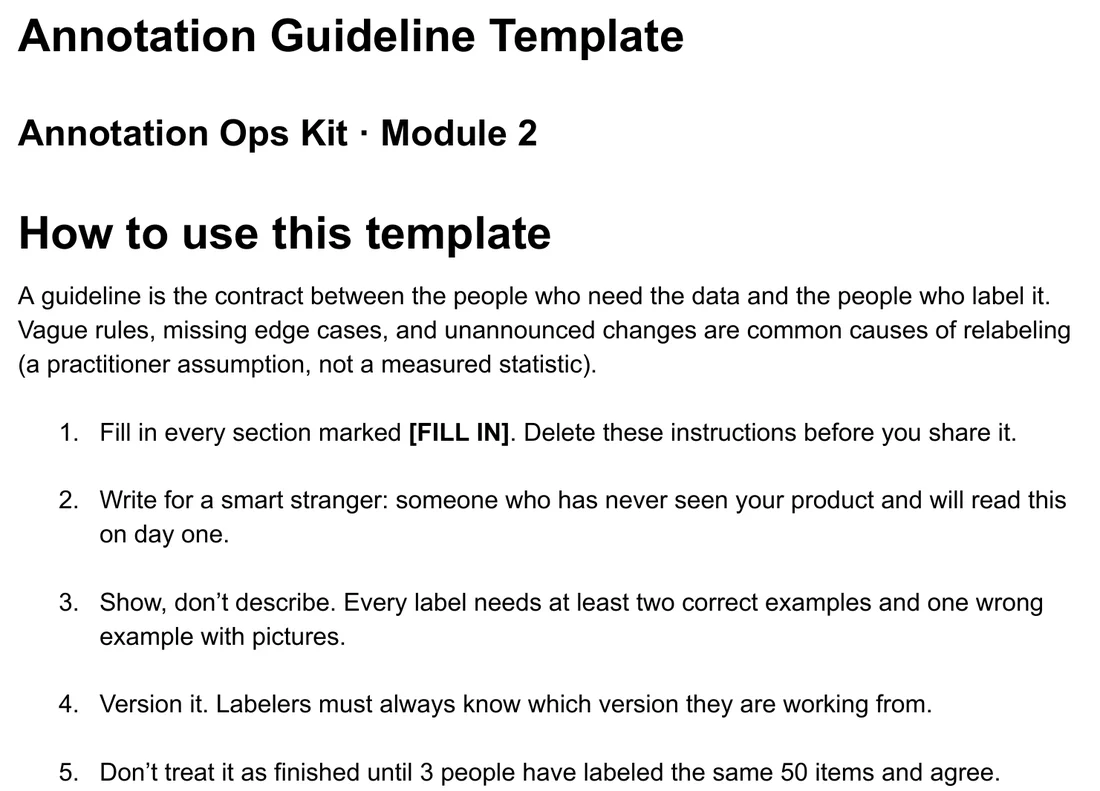
The written bar you check the vendor's work against.
View details
- Project summary, label definitions, correct and wrong examples, edge cases, version log
- Not final until 3 people label the same 50 items and agree
- Doc (.docx), QA Core and up
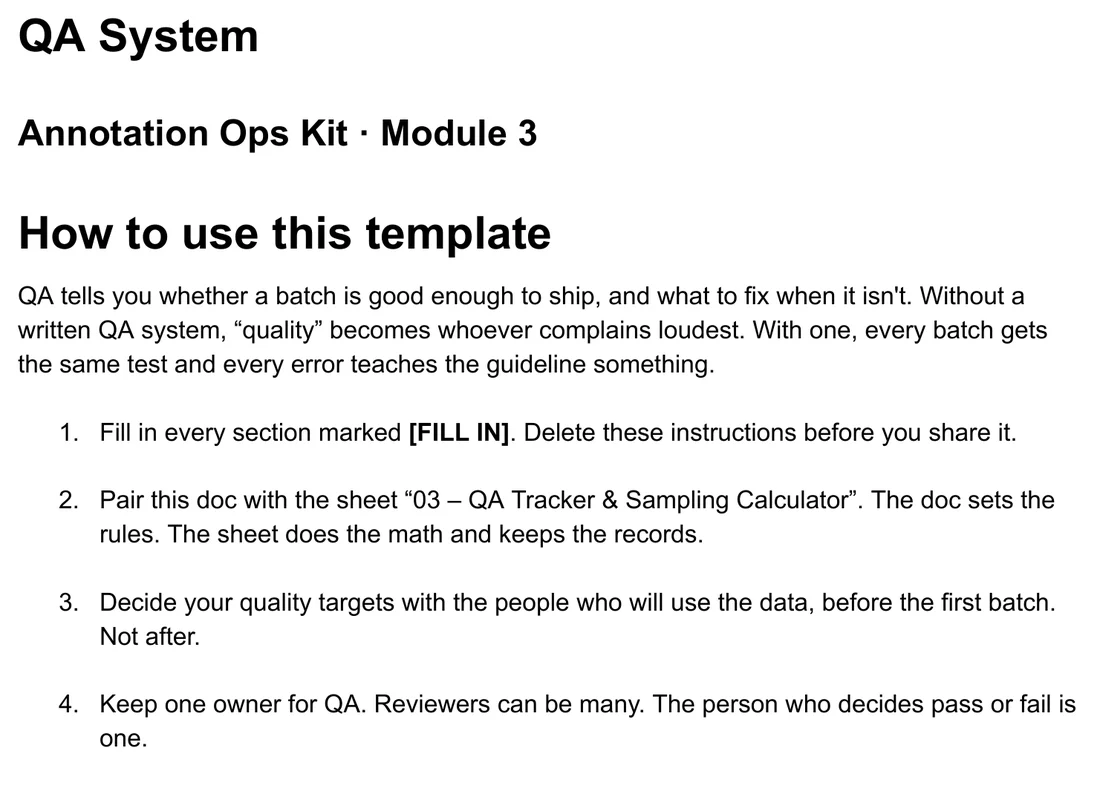
The rules you hold the vendor to, agreed before the first batch.
View details
- Quality targets, one QA owner, severity levels, pass/fail rules
- The loop: sample, review, score, feed errors back into the guideline
- Worked examples for sample size, kappa and IoU
- Doc (.docx), QA Core and up
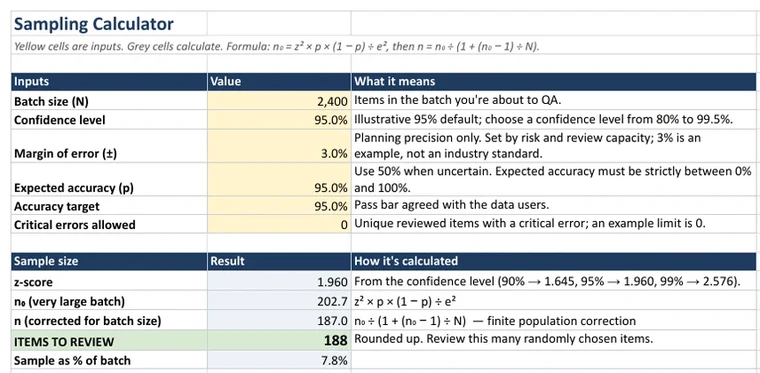
Checks each batch and keeps the records you need to push back.
View details
- Sampling Calculator: items to review, accuracy interval, Accept / Reject / Incomplete decision
- Error Log with severity and type, shared Taxonomy
- Agreement: Cohen's kappa, Fleiss' kappa for 3 annotators, box IoU
- Annotator Scorecard, Batch Log, Reviewer Log
- Sheet (.xlsx), works in Excel or Google Sheets. QA Core and up
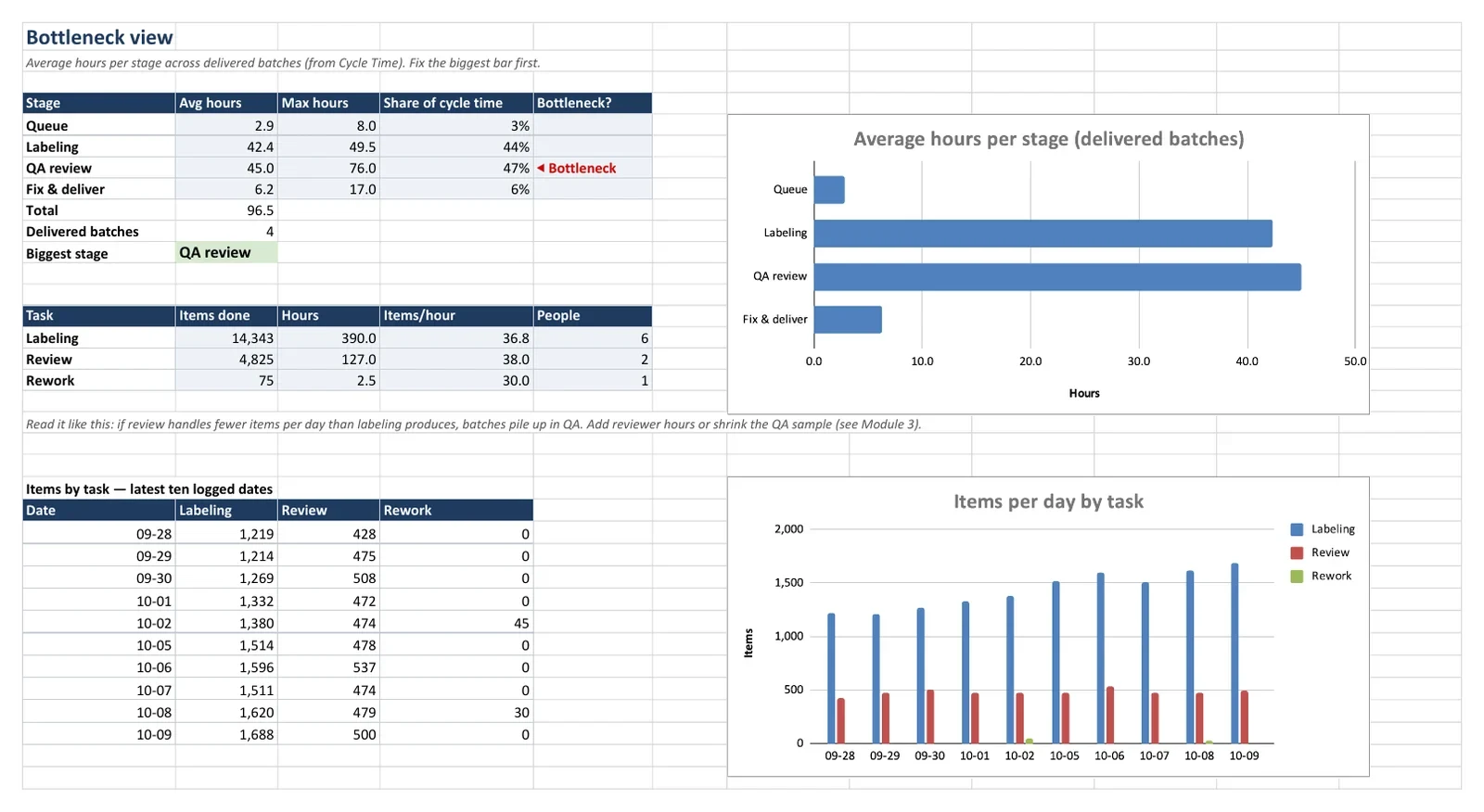
Shows where the time goes, per person and per stage.
Requires Google SheetsView details
- Daily Log: items, hours, rework, AHT, scheduled hours, utilization
- Per-Person Summary, Weekly Report with charts, Cycle Time, Bottleneck
- Room for 4,997 Daily Log entries. Cycle Time is filled in for 997 batches and can be copied down to row 5,000
- Some summary formulas are Google-only, so in Excel those cells won't update. Ops Kit and up
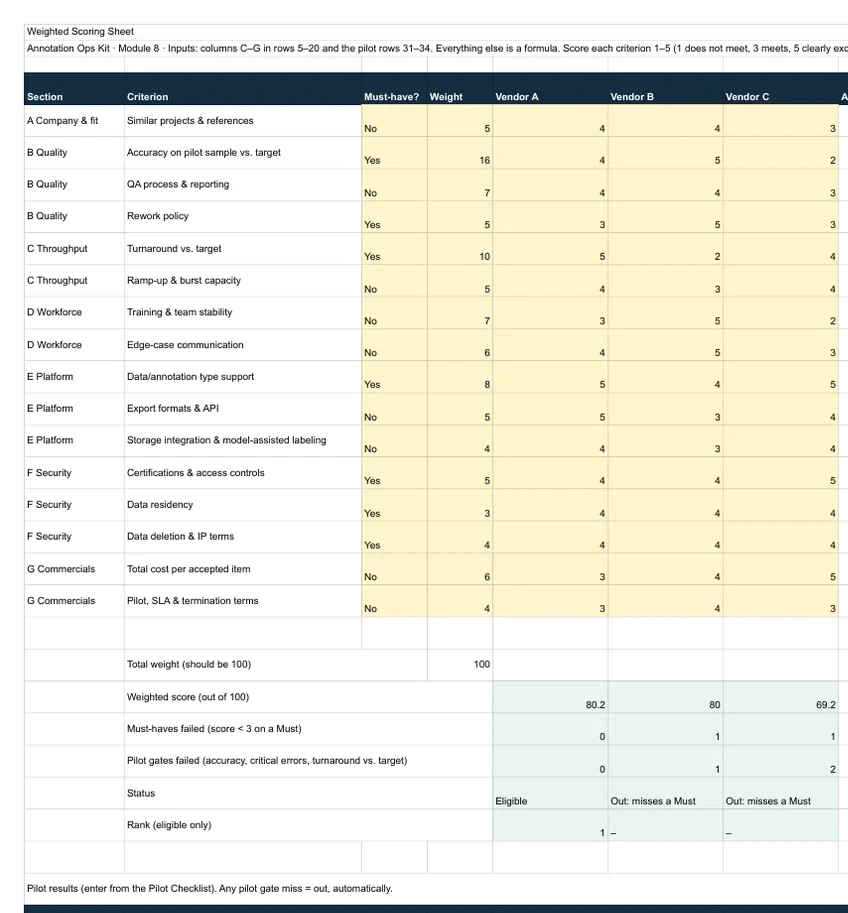
A fair, written way to pick or switch vendors.
View details
- Requirements Template: testable Must / Should / Nice requirements
- Vendor Questionnaire: 30 questions every vendor answers the same way
- Scoring Sheet: weighted scores out of 100, knockouts, price per accepted item
- Pilot Checklist: same data and same blind test for every shortlisted vendor
- 3 Docs + 1 Sheet, Ops Kit and up
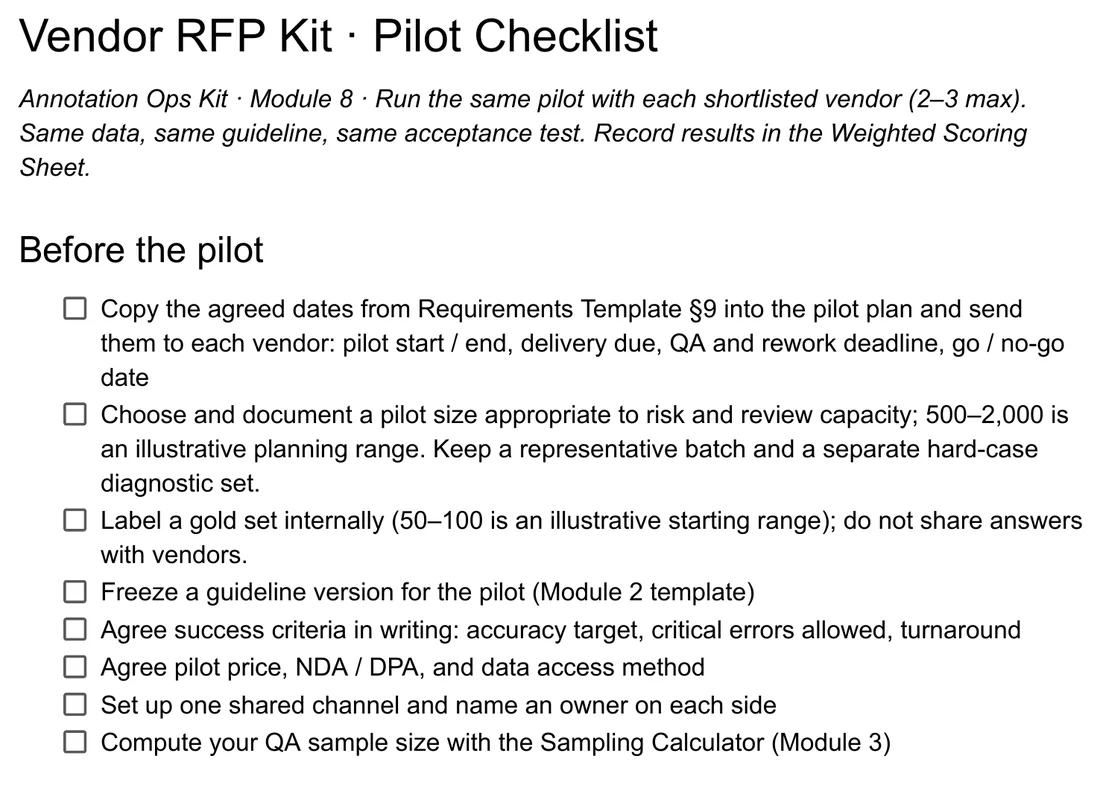
Ends in a one-page decision note you can defend.
View details
- Acceptance test sized with the Sampling Calculator
- Results flow into the Scoring Sheet
- Doc (.docx), Ops Kit and up
View methods
Standard, published methods. Every formula is visible in its cell.
- Cochran sample size with finite population correction
- How many random items to review for a batch size, confidence and margin.
- Wilson score interval
- A range for true batch accuracy that stays sensible near 100%.
- Cohen's kappa, Fleiss' kappa for 3 annotators
- Agreement after removing what you'd expect by chance. Landis and Koch cut-offs at 0.60 and 0.80 set the bands.
- IoU for boxes
- Overlap of two bounding boxes, to check annotators drew the same box.
- Weighted scoring with knockouts
- Criteria scored 1 to 5 and weighted to 100. A Must-have under 3 or a missed pilot gate removes a vendor before ranking.
Prefer a spreadsheet?
The free sheet has the same sample size formula plus a shared error taxonomy, so your reviewers and the vendor log errors the same way. No email needed.
Pricing
One-time purchase. Checkout opening soon. Sales tax or VAT is added at checkout where it applies.
Check each batch.
- Annotation Guideline Template
- QA System playbook
- QA Tracker & Sampling Calculator
Single-user license.
Checkout opening soonCheck, track and compare vendors.
- Everything in QA Core
- Throughput Tracker (requires Google Sheets)
- Vendor RFP Kit, 4 parts
Single-user license.
Checkout opening soonOne vendor process for a team.
- Everything in Ops Kit
- Up to 10 people at one company
Team license. No resale, redistribution or public posting.
Checkout opening soonDelivered as a zip of .xlsx and .docx files with a README. Full terms: Terms of sale and license
About and FAQ
Annotation Ops Kit is an independent publisher. A short note on how the kit was built is coming soon.
What format are the files?
A zip of .xlsx and .docx files plus a README. They open in Google Sheets and Docs (upload them to your Drive) or in Excel and Word. The Throughput Tracker needs Google Sheets for live results.
Are you affiliated with a labeling vendor or platform?
No. There are no affiliate or referral deals, and we don't sell labeling.
What's your refund policy?
Not useful? Within 14 days of purchase, contact us through your Gumroad receipt for a full refund, no questions asked.
Can I get an invoice?
Yes. Gumroad handles sales tax or VAT, and you can generate an invoice with your company details from your receipt.
We label some data in-house too. Does it still work?
Yes. The QA, agreement and throughput files work the same for an in-house team.